
Creating a novelty search with a deep research agent
A step-by-step guide for patent professionals
Novelty searches are an essential aspect of the innovation process, enabling inventors and analysts to evaluate whether an invention truly stands apart from existing solutions. FluidityIQ provides a robust platform for conducting comprehensive novelty assessments, combining sophisticated research tools with interactive AI agents to simplify and accelerate the search for unique invention features. This training guide will walk you through the practical steps for crafting search strategies, analyzing results, and generating clear, insightful novelty reports—all designed to support your journey from concept to competitive advantage.
Getting started: Crafting your search strategy
In this example, we are testing the novelty of the features of a camp tool design based on preliminary design and marketing documents.

Holeb Outdoors camp multi-tool
Running the search and reviewing results
Craft a search strategy using natural language or upload an invention description document and let the software draft a search strategy for you. Alternatively, create multiple searches for critical invention features within one Private Innovation Library (PIL) to explore each feature in greater detail.
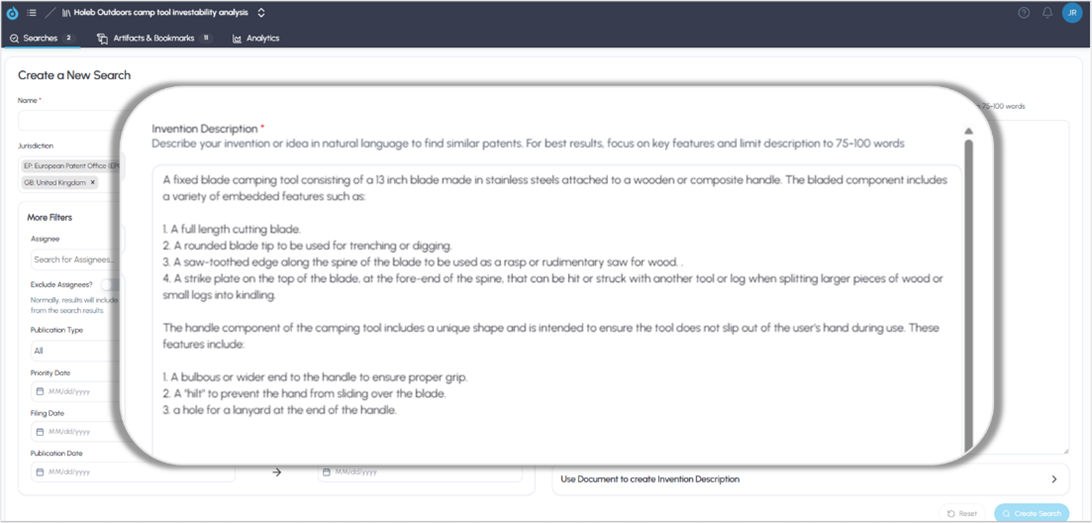
Camp tool invention description
Running the aforementioned search will bring you to the Results page where you can review up to 1,000 patents for relevance. To use the Deep Research Agent to create an automated Novelty Report, click on the Research link at the top of the page.
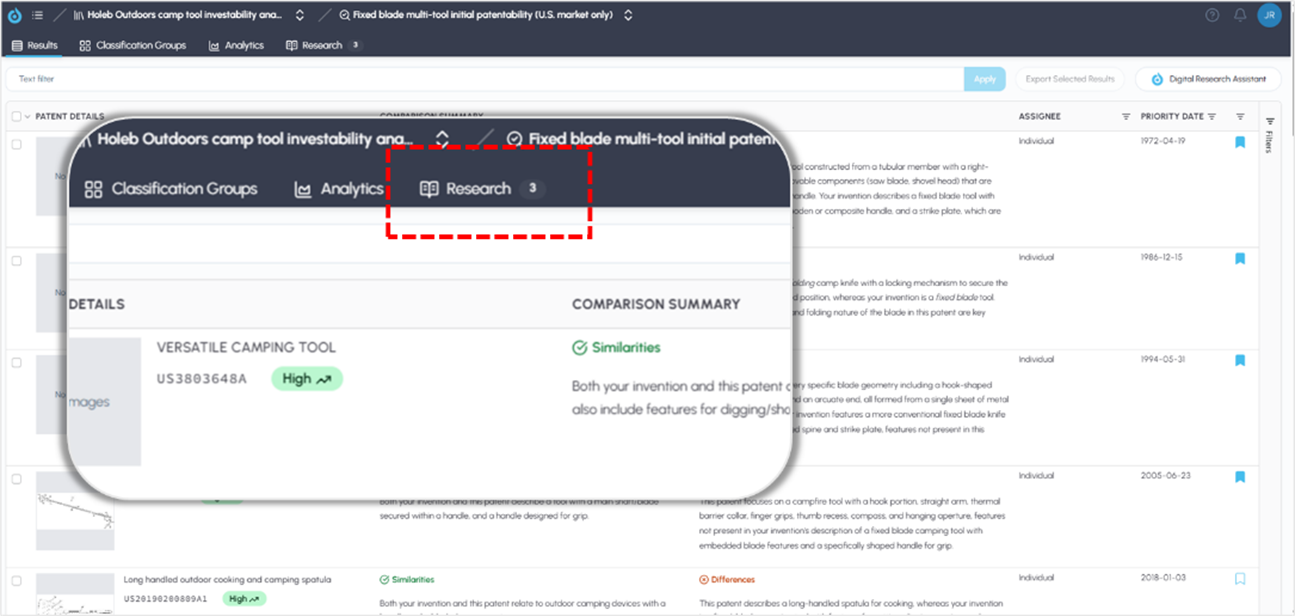
Accessing the Deep Research Agent
Creating a research report
Once on the Research page, you have the option of using our Starters, or “shortcuts” to build a Novelty Assessment or to Summarize the Competitive Landscape using our expertly developed prompts. You can also create your own prompts by entering them in the chat box at the bottom of the page.
The Deep Research Agent is aware of your invention description and the search results as shown on the Results page. Using the starter will build a Novelty Assessment based on that information. To use a Starter, simply click on the button of your choice. The Deep Research Agent is interactive. As such, you will be prompted to answer a few questions and can modify or customize the focus of the report using natural language instructions.
Alternatively, you can simply draft your own prompt if you would like the novelty assessment to target only a selection of invention features.
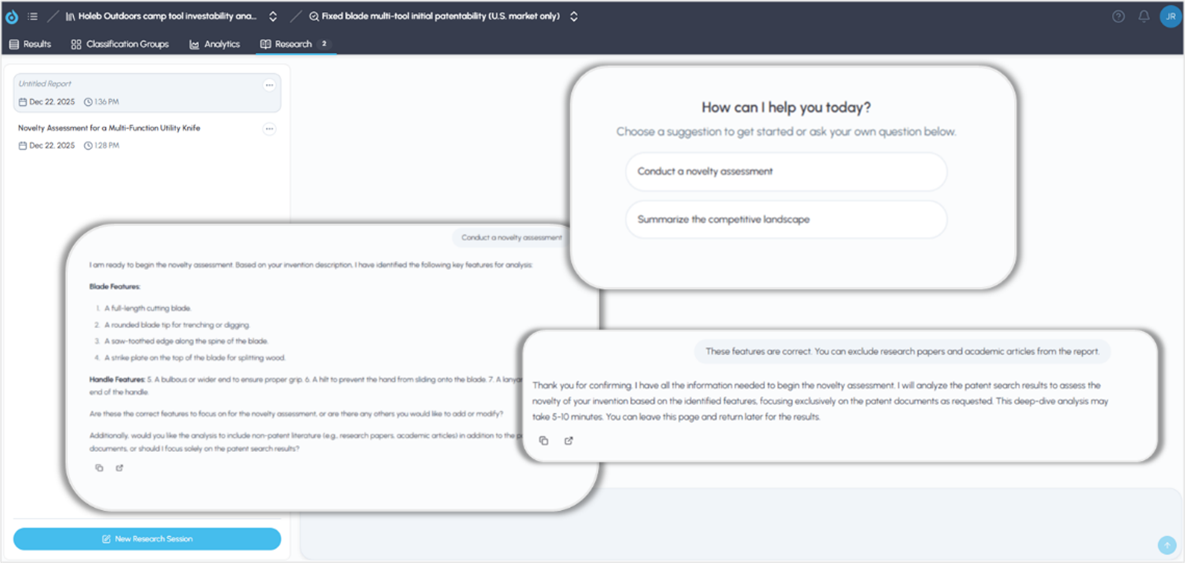
Using “Starters” or crafting custom prompts
This action will create a report that includes an executive summary, description of the report’s scope, a feature matrix and a detailed description and analysis of findings along with links to source documents.
Interact with the research report using natural language
If you would like to alter or customize the report in any way or interrogate the findings, you can do so by simply interacting with the prompt at the bottom of the page. Again, the Deep Research Agent is aware of your invention description and up to 1,000 patents included in your search results as viewed on the Results page.
For example:
Do any of the patents disclose a flat area on the blade so that a hammer can hit it and have the blade cut through the wood?
Or
How does US8707490B1 compare to the handle features of 1. A bulbous or wider end to the handle to ensure proper grip. 2. A "hilt" to prevent the hand from sliding over the blade. 3. a hole for a lanyard at the end of the handle.
Results will be presented and continue to be interactive.
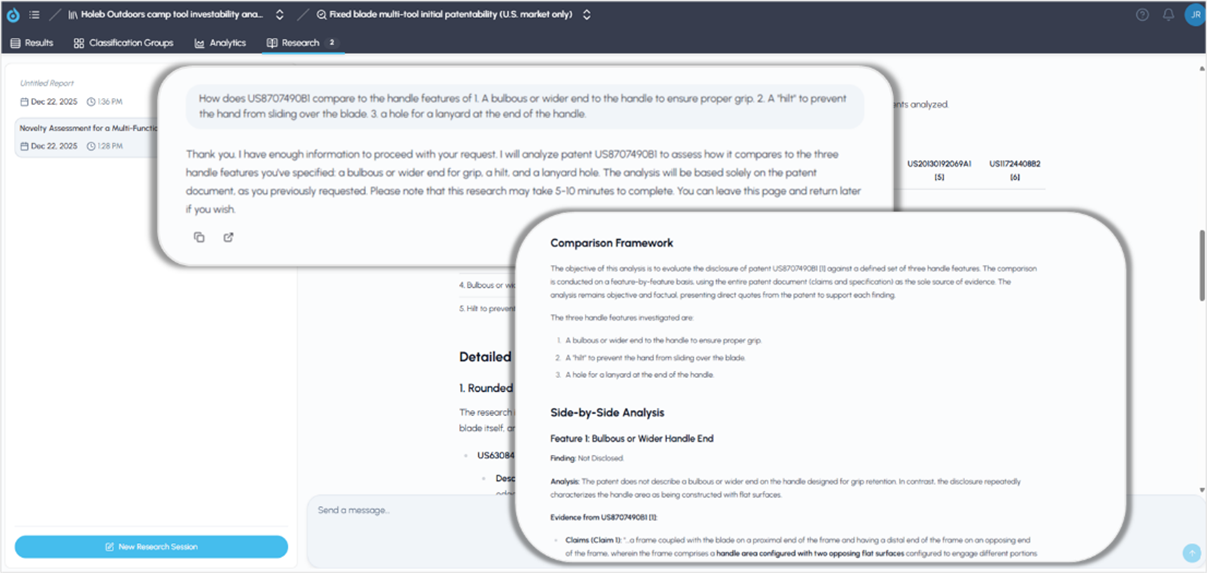
Interact with the research reports to customize
At the bottom of the page where the agentic report is generated, you will find interactive links to the Sources that are included. Each source document used in the report will appear as a hyperlink in the Sources section at the end of each report and can be accessed by clicking on the links individually (see below). Beneath that, you may choose to copy the report (to insert into an email or document) or export it into a presentation-ready PDF using the icons at each report’s end. Note the Deep Research Agent has access to more than 2.8 million academic research papers and may include them in the analysis unless prompted not to include non-patent literature (see red box below in Sources below).
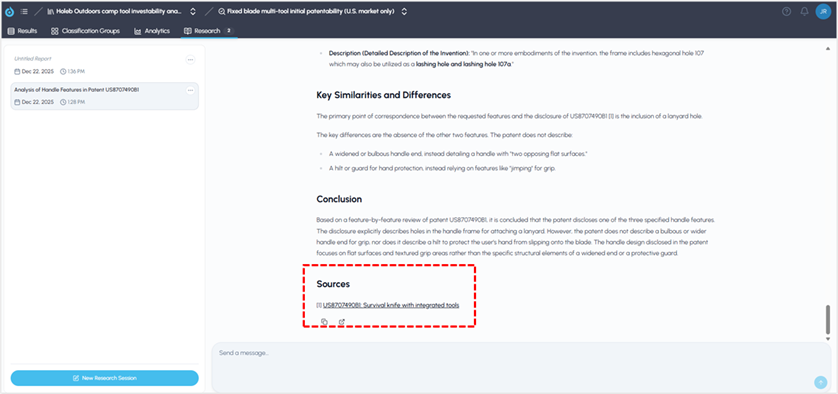
Links to source documents
Conclusion
FluidityIQ’s Deep Research Agent offers a versatile and interactive platform for conducting comprehensive novelty assessments tailored to your invention’s unique features. By leveraging its expansive database and interactive reporting tools, you can easily explore, analyze, and present findings with confidence. As you refine your queries and engage with the results, the platform ensures transparency and accessibility through direct links to all supporting documents. Whether generating quick insights or preparing detailed presentations, the agent streamlines your workflow and empowers you to make informed decisions throughout the innovation process.